VAT Threshold for Ecommerce in the UK: Do All Your Sales Platforms Count Together?
August 13, 2026
Register for Self Assessment as an Online Seller: the 5 October 2026 Deadline
August 27, 2026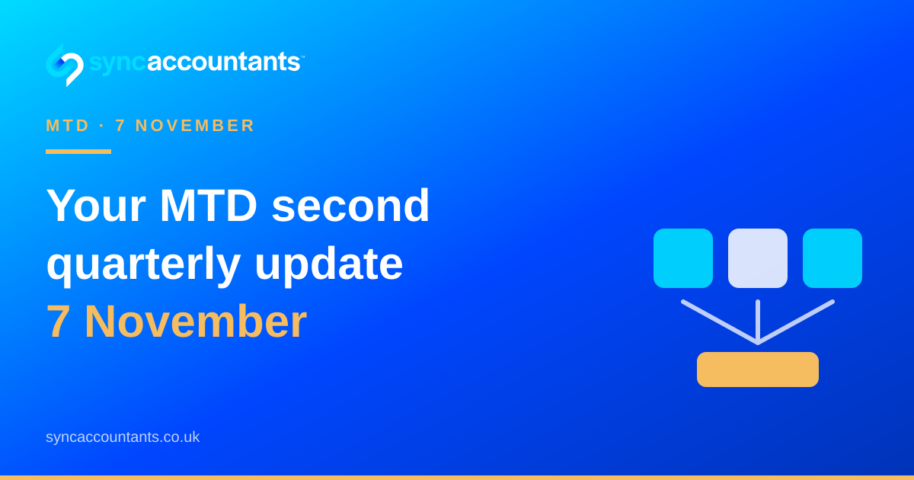
The MTD Income Tax second quarterly update is due by 7 November 2026 for the first cohort of sole traders and landlords using Making Tax Digital. It covers the standard accounting period from 6 April to 5 October 2026. It is a summary of your income and expenses, not a tax return or a bill.
If you sell through Amazon, Shopify, eBay, Etsy or another online channel, the difficult part is rarely pressing submit. It is making sure the figures behind the update are complete. Marketplace payouts are usually net of fees, refunds and other adjustments, while HMRC needs a reliable picture of your business income and expenses.
This guide starts where our MTD guide for ecommerce sole traders ends. We will show you what to check before the second deadline, how cumulative updates work and what to do if your first update was incomplete.
- Who needs to send the second update?
- Quarterly update versus tax return
- Reconcile your marketplace numbers
- Understand cumulative figures
- What happens if you miss 7 November?
Who needs to send the MTD Income Tax second quarterly update?
You are in the first MTD for Income Tax cohort if your 2024/25 Self Assessment tax return showed more than £50,000 of qualifying income from self-employment and property income. Qualifying income is based on turnover before expenses, not the profit left after stock, marketplace fees, advertising and other costs.
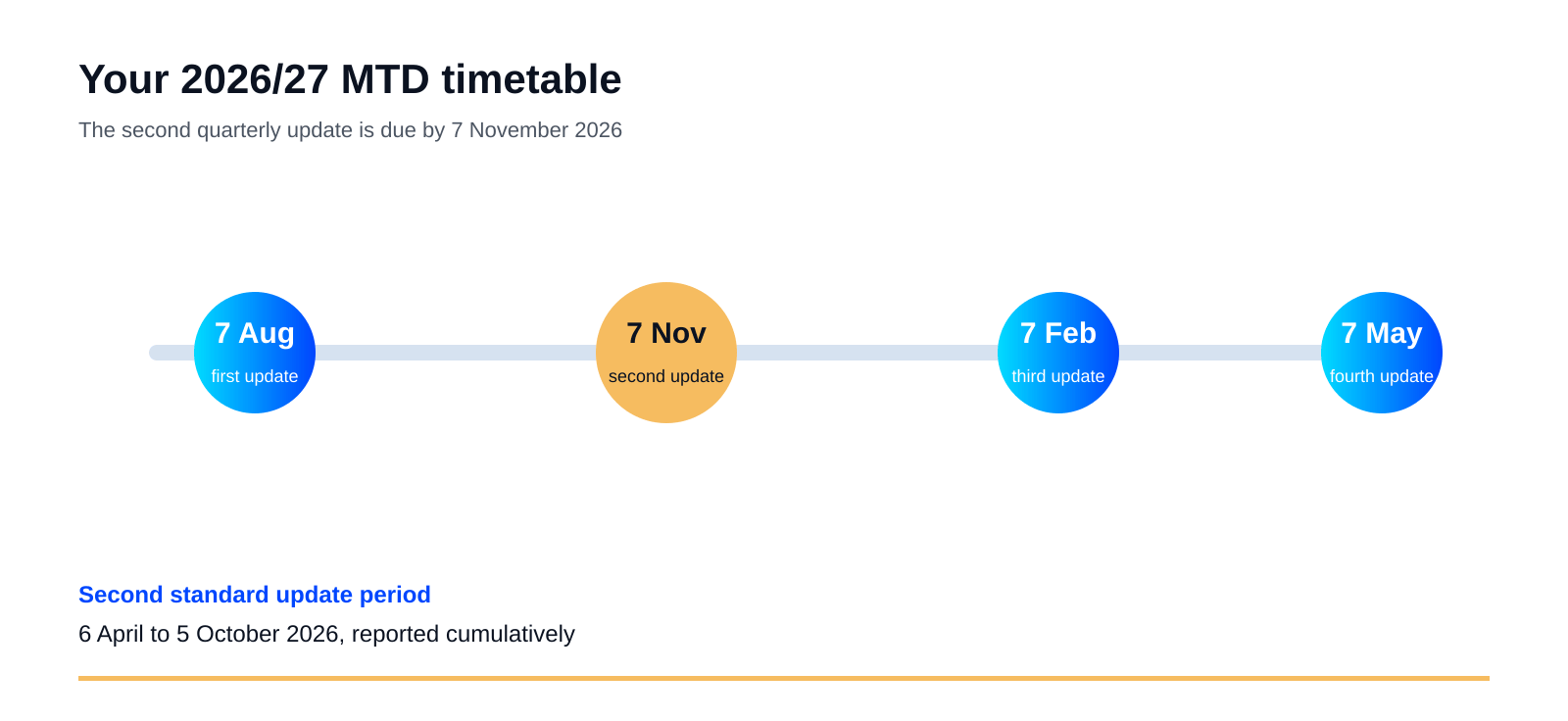
For a sole-trader ecommerce business, the second standard update covers income and expenses from 6 April to 5 October 2026. You must send it through compatible software by 7 November 2026. HMRC’s MTD guidance confirms that the update is a summary of your digital records, rather than a replacement for the annual tax return.
If you have more than one sole-trader business or a separate property income source, the reporting is not one blended figure. You need an update for each relevant income source. Check the sources shown in your MTD software before you start, particularly if you have changed trading structures during the year.
A quarterly update is not your Self Assessment tax return
It is easy to treat the second update like a mini tax return, but that creates unnecessary work. Your software sends category totals for the relevant period. You do not use this submission to claim every relief, add every other source of income or make the final adjustments that belong in the annual return.
| Quarterly update | Annual tax return |
|---|---|
| Summary totals of business income and expenses | Final figures for the whole tax year |
| Sent every three months through compatible software | Submitted after the tax year, by the applicable deadline |
| Used to keep HMRC’s view of the year up to date | Includes adjustments, reliefs and other income |
| Does not itself require a tax payment | Confirms the final tax calculation and amount due |
The update can show a predicted tax bill, which is useful for planning, but the prediction is not the same as a demand for payment. You still submit the annual return and pay your tax in the normal Self Assessment timetable. HMRC explains the distinction in its full MTD for Income Tax guidance.
Reconcile your marketplace numbers before you submit
Do not start with the bank deposits. Start with the sales and transaction reports for each channel, then reconcile them to the payouts. A £10,000 Amazon settlement is not necessarily £10,000 of sales. It may be the amount left after refunds, fulfilment charges, referral fees, advertising, reimbursements and other adjustments.
Check gross sales, refunds and returns
Export the transaction data for 6 April to 5 October, or the date range your software uses for the standard update period. Check that gross sales are recorded in the right income category and that refunds, returns and chargebacks are not silently disappearing because they were processed against a later payout.
Separate platform fees and advertising
Marketplace fees, payment processing charges, fulfilment costs and advertising are expenses, not a reason to record only the net deposit as turnover. Keep them visible in separate categories where your bookkeeping system allows it. This gives you a more useful view of margin and makes it easier to explain the difference between the sales report and the bank statement.
Check stock, COGS and payment accounts
Review stock purchases, shipping, import costs and your cost-of-goods-sold treatment before approving the figures. Also reconcile PayPal, Stripe, Wise and any other payment accounts. A payout that arrived in October may relate to transactions from an earlier period, so the bank date alone is not always the right way to classify the sale.

Need this done for you? Our FCCA-chartered team handles MTD records and quarterly updates for UK ecommerce sellers every day. Book a free 30-minute call and we’ll show you what we’d do in the first 30 days.
Remember that the figures are cumulative
The second update is not a standalone report for only 6 July to 5 October. Under the standard periods, your second update brings the totals up to date from 6 April to 5 October. That means the first and second updates should build on the same digital records, not describe two unrelated slices of the year.
If you discover that your first update was incomplete, correct the underlying records and submit the current cumulative figures. Do not simply leave the missing sales or expenses out because they belonged to the earlier period. Keep a note of what changed so your accountant can trace the correction when preparing the final declaration.

What happens if you miss 7 November?
HMRC will not apply penalty points for late quarterly updates during the 2026/27 tax year. That soft landing is useful, but it does not turn the updates into optional paperwork. You must send the outstanding quarterly information before you can complete the final declaration, and separate rules apply to late tax returns and late payment.
If you are behind, finish the records rather than submitting a number you know is incomplete. Contact your accountant, check the first update and bring the cumulative figures up to date. HMRC’s penalty guidance explains the treatment for 2026/27 and the rules that apply after the soft-landing year.
MTD Income Tax second quarterly update FAQs
Is the MTD quarterly update a tax return?
No. It is a summary of your business income and expenses sent through compatible software. You still submit an annual tax return, including adjustments, reliefs and other income, and you still pay the resulting tax through Self Assessment.
What if I made a mistake in my first quarterly update?
Correct the digital records and make sure the second update contains accurate cumulative figures from the start of the tax year. Keep a short reconciliation note explaining the correction. If the error affects several income sources or a large amount, ask your accountant to review it before submission.
Do I send one update for each marketplace?
Not normally. The relevant distinction is each sole-trader or property income source, not each sales channel. Your Amazon, Shopify, eBay and other marketplace records should feed the correct business income source. Keep the channel breakdown in your bookkeeping so the totals can be checked.
Do I include VAT in my quarterly figures?
Use the accounting treatment that matches your Self Assessment records and VAT scheme. Do not guess from the bank payout. VAT, refunds, fees and sales need to be recorded consistently, so check the treatment with your accountant if you are VAT registered or have changed schemes.
What is the next MTD deadline after 7 November?
For the first 2026/27 cohort using standard update periods, the third quarterly update is due by 7 February 2027 and the fourth by 7 May 2027. The final declaration for 2026/27 is due by 31 January 2028. Check the official HMRC timetable if your accounting period differs.
Talk to a UK ecommerce accountant
If you’d like a hand applying any of this to your business, our FCCA-chartered team works with over 700 UK ecommerce sellers across Amazon, Shopify, eBay and TikTok Shop. Tell us about your store and we’ll show you exactly what we’d do. Book a free consultation or request a tailored quote.