Will the Budget Affect Cheap Imports? What Small Ecommerce Businesses Need to Know
November 27, 2025
5 Mistakes UK Online Businesses Make in Their Taxes Costing Thousands
December 11, 2025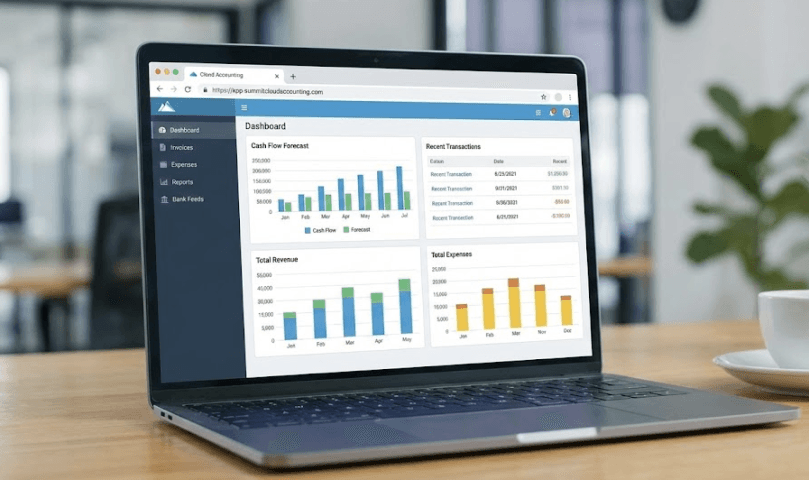
Making Tax Digital MTD: quick and simple guide
Making Tax Digital MTD is HMRC’s plan to move the UK tax system online so that tax is more accurate, efficient and harder to get wrong. In practice, it means using approved software instead of paper or basic spreadsheets and sending information to HMRC more regularly.
If you’re a small business owner, landlord or sole trader, here’s a short, no-jargon guide to what it is and what you actually need to do.
What is Making Tax Digital MTD?
Making Tax Digital MTD is a government programme that changes how you keep records and send tax information to HMRC.
Instead of:
- paper records, and
- typing figures into the HMRC website once a year
you’re expected to:
- keep digital records of income and expenses
- use MTD-compatible software (for example, cloud accounting apps)
- send information to HMRC electronically through that software
The aim is to reduce errors, give you a clearer view of your tax position during the year, and close the “tax gap” caused by mistakes.
The two main parts of Making Tax Digital MTD
1. MTD for VAT (already here)
MTD started with VAT. At this point:
- All VAT-registered businesses must follow Making Tax Digital MTD for VAT, regardless of turnover.
- You must keep VAT records digitally and file VAT returns using MTD-compatible software, not by typing figures into the old HMRC portal.
If your business is VAT-registered, you are almost certainly already inside MTD for VAT.
2. MTD for Income Tax (coming soon)
The next stage is Making Tax Digital MTD for Income Tax (sometimes called MTD for ITSA). This affects sole traders and landlords with qualifying income from self-employment and property.
The current timetable is:
- From 6 April 2026 – if your qualifying income from self-employment and property is over £50,000
- From 6 April 2027 – if it’s over £30,000
- From 6 April 2028 – if it’s over £20,000
If your qualifying income is £20,000 or less, you won’t be required to use MTD for Income Tax under the current rules, although you can choose to sign up voluntarily. Some people are also exempt (for example, if it’s not reasonably possible for you to use digital tools).
Under Making Tax Digital MTD for Income Tax you will:
- keep your business and property records in compatible software
- send quarterly updates of income and expenses to HMRC
- submit a final end-of-year declaration via the software instead of a normal Self Assessment tax return for that income
Who does Making Tax Digital MTD apply to?
In simple terms, you’re in Making Tax Digital MTD if:
- you are VAT-registered – you must follow MTD for VAT now
- AND/OR
- from April 2026 onwards, you’re a sole trader or landlord with qualifying income above the relevant thresholds
You’re not brought into MTD for Income Tax if:
- your qualifying self-employment and property income is £20,000 or less, or
- you fall into a specific exempt category (for example, certain trustees or those who are digitally excluded).
Because the rules are phased, it’s important to check your own situation early and plan ahead rather than waiting until the year it becomes mandatory.
What do you actually need to do?
Here’s a simple, step-by-step way to get ready for Making Tax Digital MTD.
1. Check if and when you’re affected
Use HMRC’s online checker for MTD for Income Tax and confirm your VAT status and turnover.
2. Choose MTD-compatible software
You’ll need software that can:
- store digital income and expense records
- send VAT returns and/or quarterly income tax updates directly to HMRC
- produce your final end-of-year figures
HMRC provides a list of approved software providers, and your accountant can help you choose one that fits your business size and budget.
3. Move your record-keeping into the software
Instead of:
- boxes of receipts
- spreadsheets without digital links
aim to:
- raise invoices in your software
- scan or photograph receipts into it
- connect your bank feed, so transactions flow in automatically
4. Keep up with quarterly updates
For Income Tax, once you’re inside MTD you’ll send updates roughly every three months, plus a final declaration at year-end. The software usually prompts you when these are due, making it much easier to stay on top of deadlines.
5. Get professional support
An accountant or bookkeeper can:
- set up your software
- check that your digital records are correct
- handle quarterly submissions and the final declaration for you
- help you avoid penalties under HMRC’s new late-submission and late-payment rules
Why Making Tax Digital MTD could actually help you
While Making Tax Digital MTD adds some structure, it can also make life easier:
- Less data entry – bank feeds and apps pull data in automatically
- Fewer surprises – you see profit and likely tax during the year, not just at the end
- Lower risk of errors and penalties – the software does much of the maths and formatting for you
- Better business decisions – up-to-date numbers make it easier to plan cash flow and investment
Think of it as swapping a messy paper shoebox for a tidy digital system that works in the background.
Simple takeaway
- Now: if you’re VAT-registered, you should already be using Making Tax Digital MTD for VAT.
- From 2026: sole traders and landlords with higher incomes will gradually be brought into MTD for Income Tax.
- Your best next step: choose suitable software and speak to an accountant so you’re ready before it becomes compulsory for you.
Making Tax Digital MTD is here to stay – but with the right setup, it can be a useful tool rather than just another HMRC rule.